
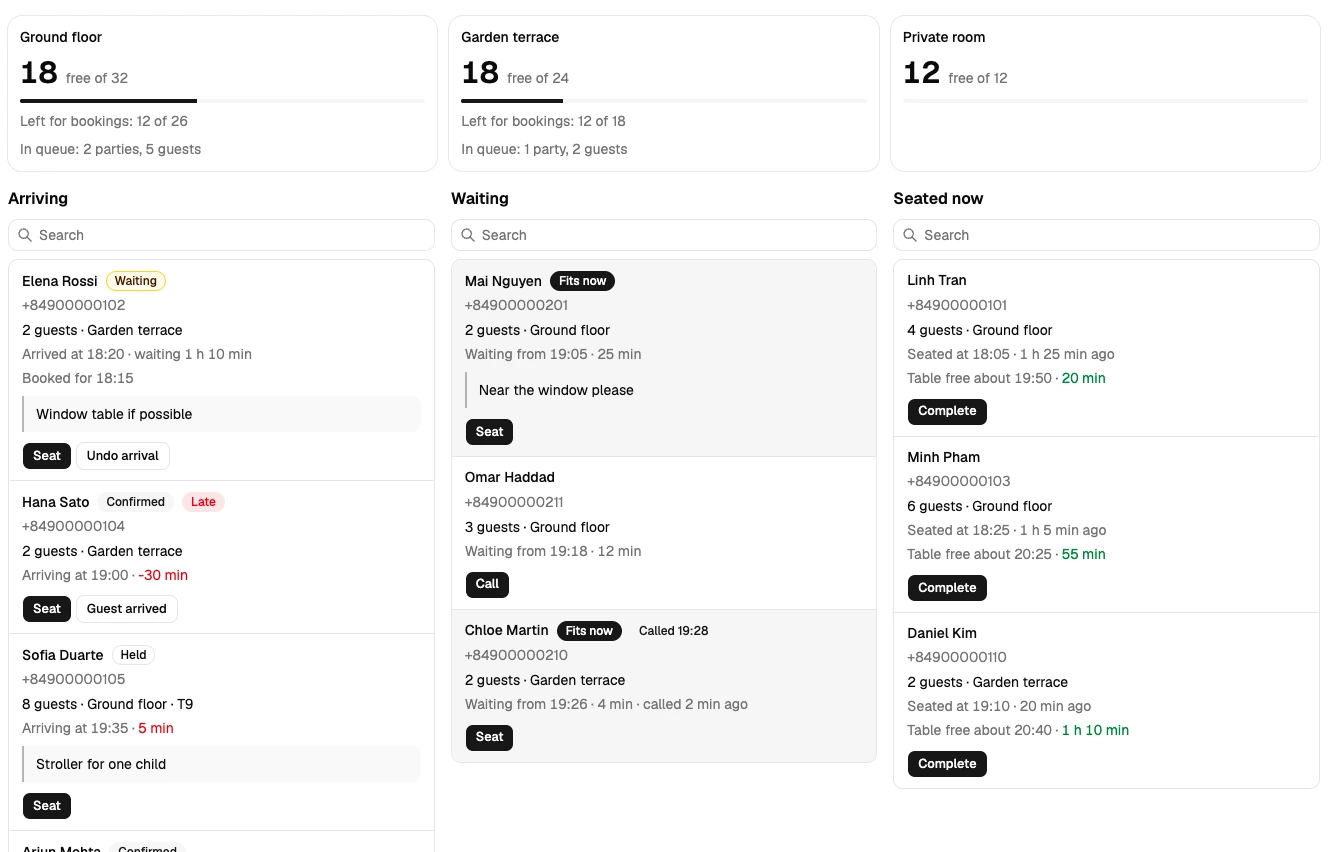
Keep arrivals in view
See arriving bookings, waiting parties and seated guests by area. The Today screen brings the current shift together so your team can plan the next seating.
Manage restaurant bookings, walk-ins and your waiting list with availability checks and a shared table plan.
Request access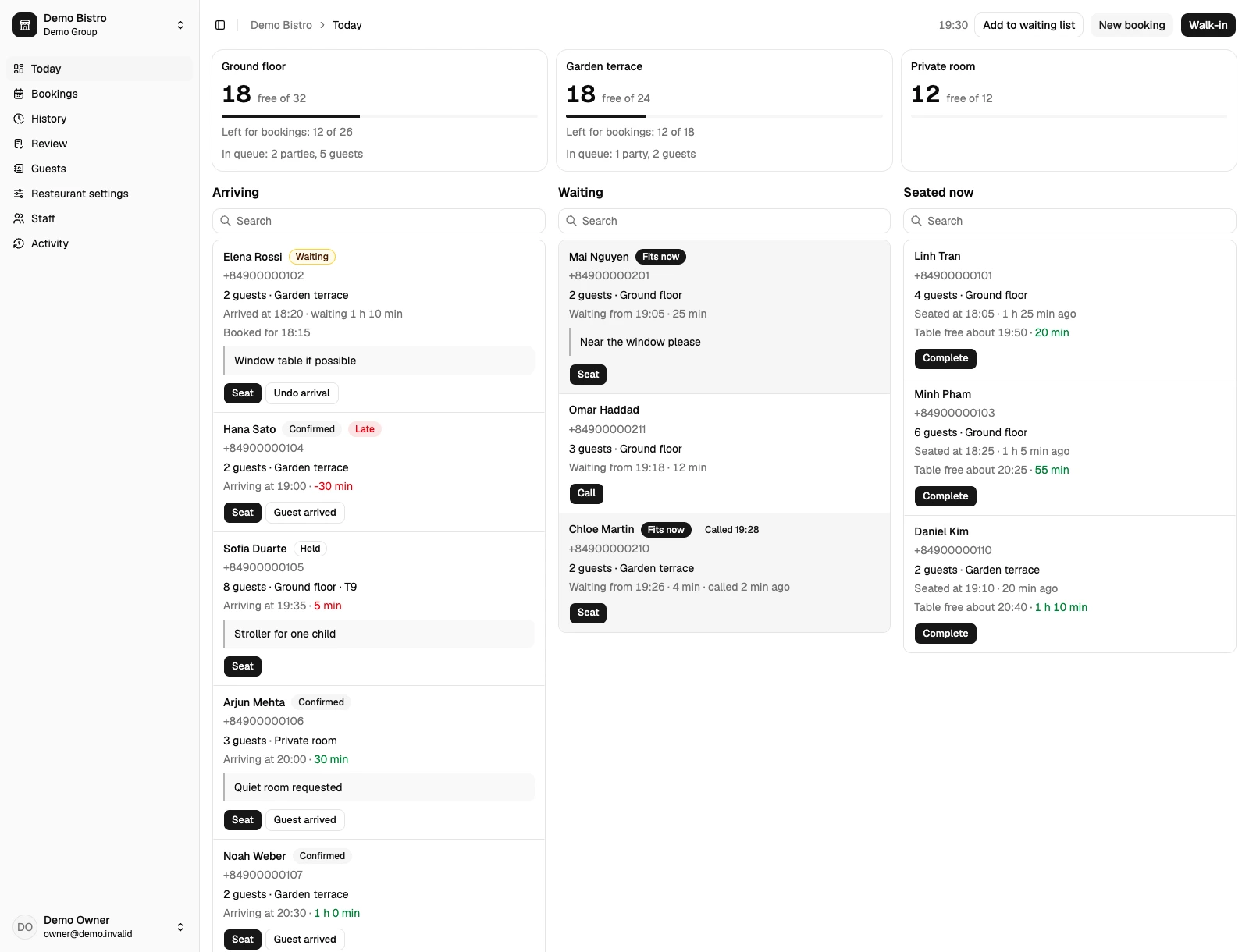
See who is arriving, who is waiting and which tables are occupied before you make the next seating decision.
See arriving bookings, waiting parties and seated guests by area. The Today screen brings the current shift together so your team can plan the next seating.
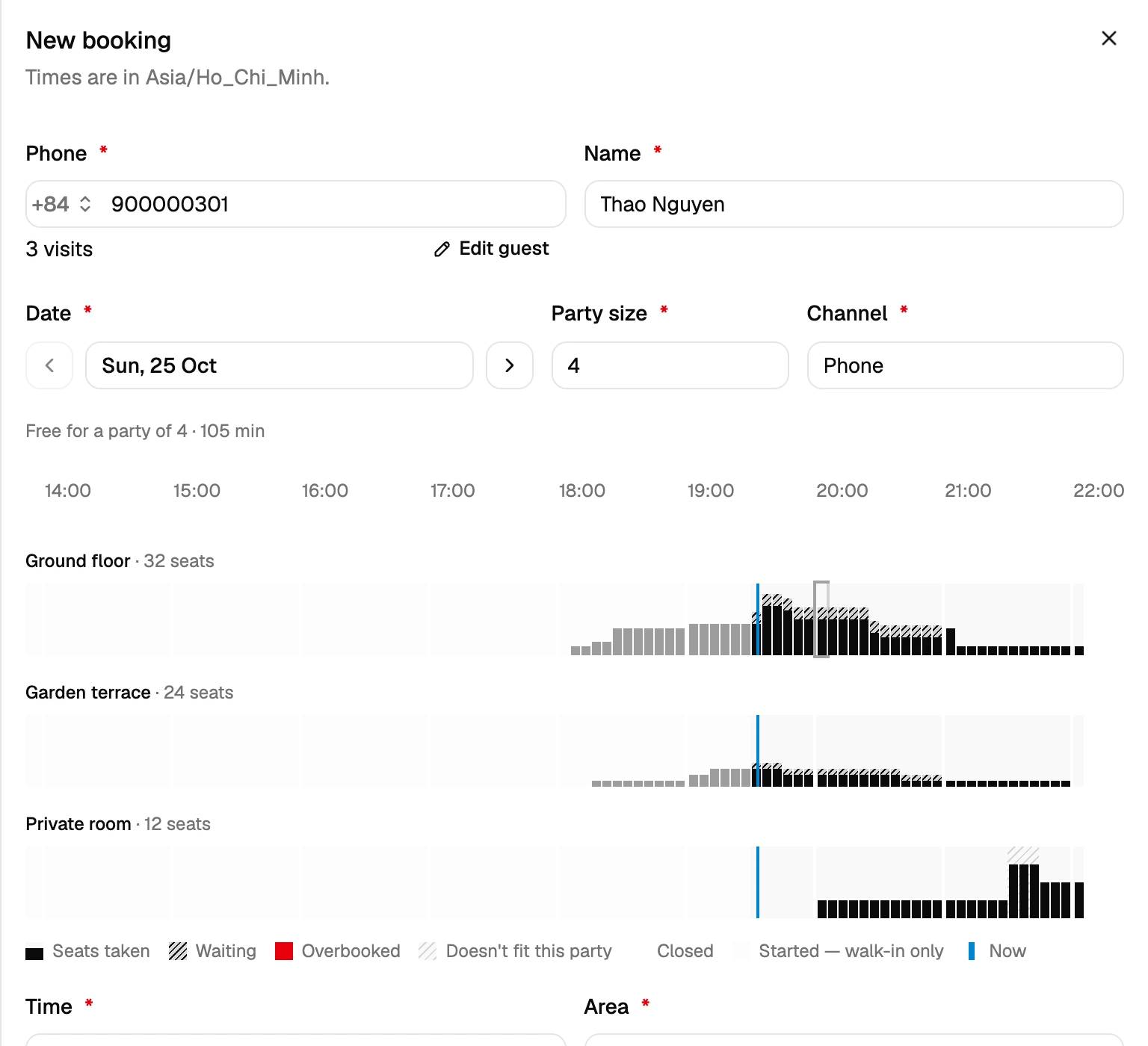
Check availability for the whole visit, including seats, opening hours and booking limits. If a booking does not fit, the app explains why. Authorized staff can make a logged exception.
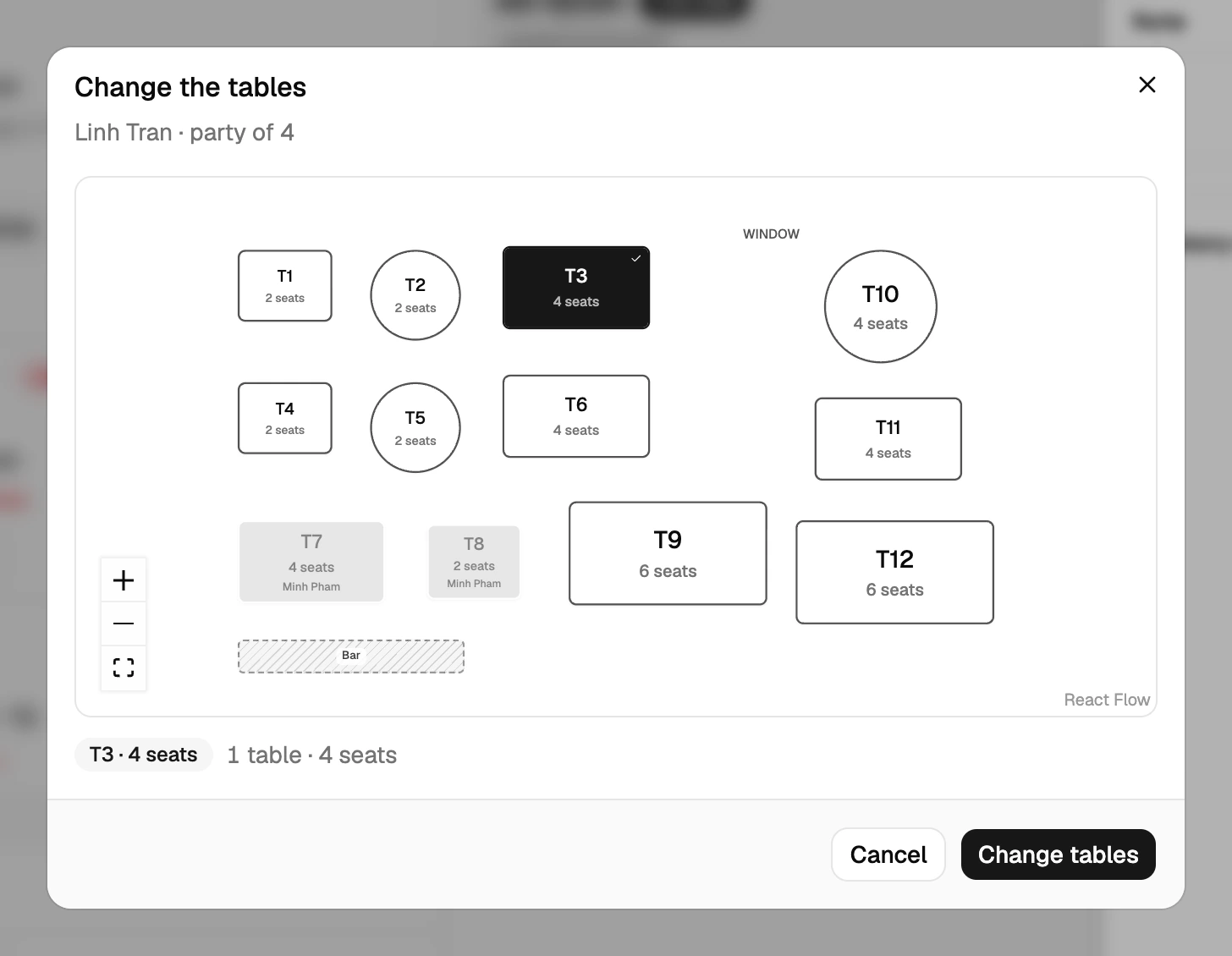
Seat a booking, a waiting party or a walk-in on the same floor plan. Occupied tables are marked, and one party can use several tables. Table selection is optional.
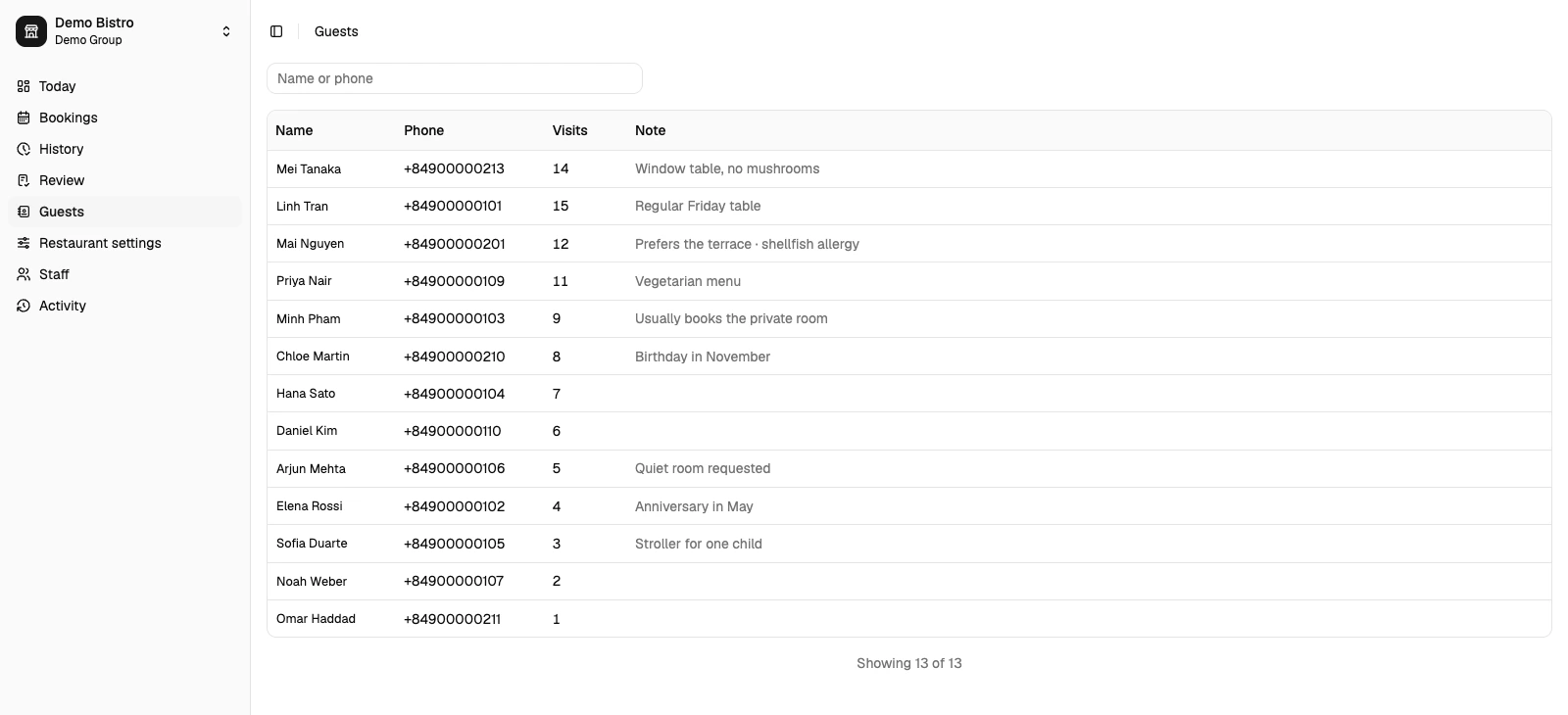
Find a guest by phone and see their notes and past visits. Keep preferences and important details close at hand when taking the next booking.
| Feature | What you can do |
|---|---|
| During service | |
| The current shift | See arriving bookings, waiting parties and seated guests by area on the Today screen. |
| Availability before you confirm | Check seats, booking limits and opening hours for the whole planned visit before accepting a booking. |
| Table plan | See occupied tables and choose where to seat each party. One party can use several tables; selecting tables is optional. |
| Feature | What you can do |
|---|---|
| Bookings and walk-ins | Seat guests from a booking, the waiting list or a walk-in. Keep the party size, area and visit together. |
| Guest notes and past visits | Find guests by phone and keep their notes and visit history available for the next booking. |
| Taking bookings | |
| Tables reserved in advance | Assign tables to a booking for its planned time, or leave table selection until the guests arrive. |
| Temporary holds | Hold seats until a chosen time while waiting for the guest to confirm. Expired holds stop reserving seats. |
| Visit durations | Set default visit lengths by party size and adjust the duration of an individual booking when needed. |
| Clear booking conflicts | See why a booking does not fit, including seat shortages or hours conflicts, before choosing another time or area. |
| Possible duplicate bookings | Get a warning when the same guest already has an overlapping booking or seated visit, and confirm separately if it is intentional. |
| Booking source | Record where each booking came from, such as a phone call or Instagram message. |
| Arrivals and no-shows | Mark booked guests as arrived, see how long they have waited and record a no-show when they do not arrive. |
| Guests and the waiting list | |
| Waiting list | Keep party sizes, contact details, areas and notes together as guests wait, are called and take their seats. |
| Join the queue by QR | When QR joining is enabled, guests can scan the restaurant’s code and join the waiting list from their phones without an account. |
| A queue page for guests | Guests see their place and waiting or called status while their queue page is open. Updates appear on that page; no message is sent. |
| Help with the next party | See which waiting party fits each area. Your host chooses whom to call or seat, with the usual availability checks. |
| Set up and manage | |
| Opening hours and exceptions | Set weekly hours, last seating and closing times, with date-specific exceptions for holidays or special service. |
| Areas and booking limits | Configure each hall, terrace or bar with its own seat capacity and booking limit. |
| Team access by restaurant | Choose which team members can manage bookings, service or settings at each restaurant, with separate permissions for overrides and corrections. |
| Changes you can trace | Organization admins can review who changed records and when. Overrides and corrections include their before-and-after details in the activity log. |
| Past service records | Look back at bookings, visits and waiting-list entries by business date when reviewing an earlier shift. |
| Several restaurants, one organization | Manage several restaurants within one organization, with each restaurant’s own settings and staff permissions. |
Tell us about your restaurant. We’ll reply by email to arrange access for your team.